Jamie's Avatar
Jamie Founder
4 weeks ago

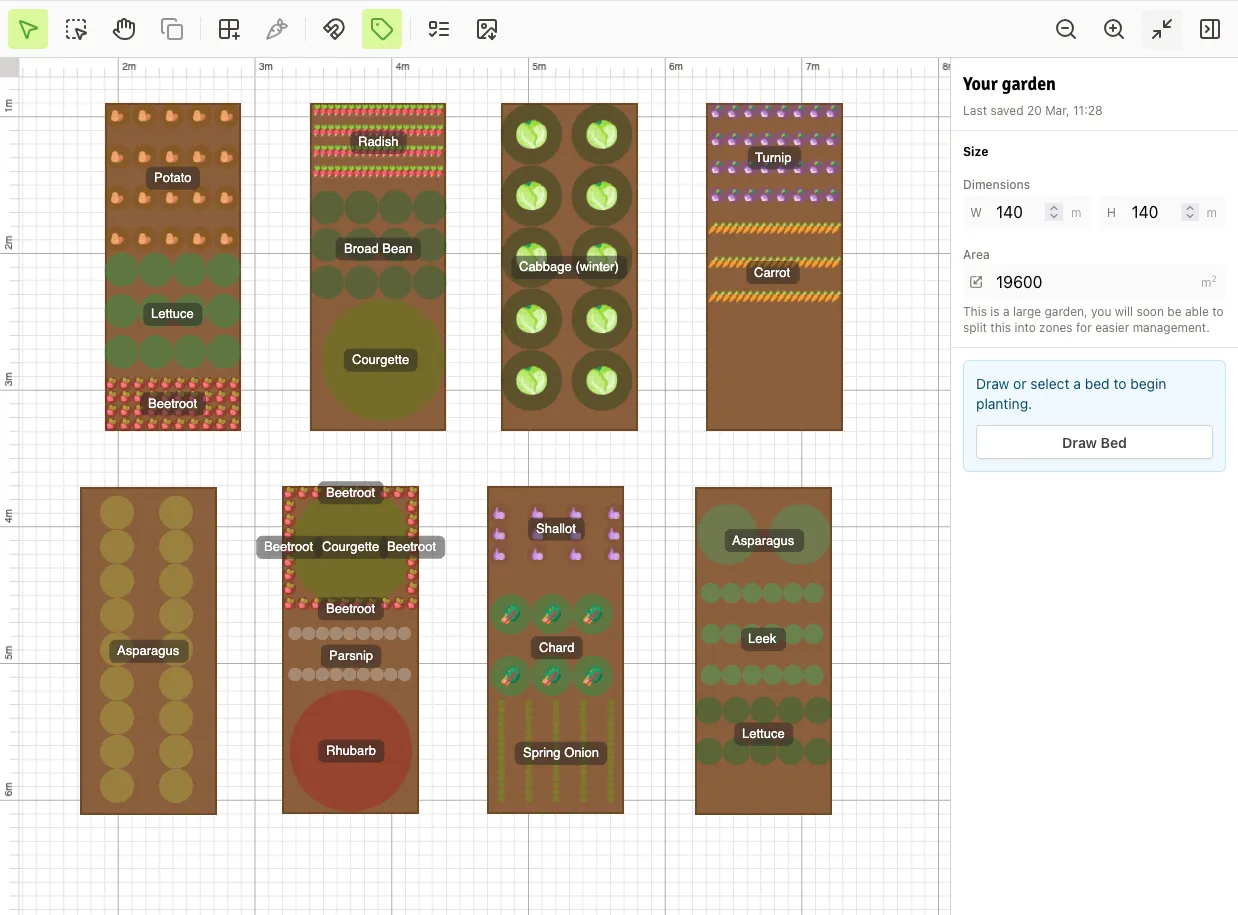
The Garden Designer is finally here!

After way too long in development, I've decided it's time to stop tinkering and actually get it in front of people. It's not perfect yet, but real-world use is going to teach me a lot more than another few months of building in isolation.

If you do give it a try, I'd love to hear what works for you and what doesn't. What feels intuitive, what feels clunky, what's missing from your workflow. All of it is genuinely useful at this stage.

There's a full rundown of what it can do over in the blog post here, but the short version is: you can design your garden layout, place crops with real spacing, and export the whole thing as an image.

It's a bit rough around the edges, but that's exactly why I'm sharing it now. Thanks in advance to anyone who decides to give it a go!
53
Pirate86's Avatar
Pirate86 Supporter
3 weeks ago

I'm going to love playing around with this feature. My first "garden" will be about 30m by 80m so don't think that scale will zoom out effectively but will still certainly help regardless

0
Jamie's Avatar
Jamie Founder
3 weeks ago

Thanks! I'm really interested to hear how you get on. It was the size of your plot that inspired the idea of "zones" (which I'm about to work on) because planning a vast space on one canvas will be tricky in terms of workflow I think!

Edit: my plot is set up as 6m by 40m and already I feel it's a lot of panning around the canvas ๐Ÿ˜…

0
RachelA's Avatar
RachelA Supporter
2 days ago

Can't wait to start using this, great addition, thanks ๐Ÿ˜†

0
Jamie's Avatar
Jamie Founder
2 days ago

Great to hear! I'm interested to hear how you get on!

0
Login or Register to join the converastion.